For teams and labs
Your documents, answered in-house.
Put policies, manuals and research in workspaces, decide who sees which, and ask questions in plain language. Each workspace picks its own model, local or cloud.
Runs with
- Ollama
- LM Studio
- LocalAI
- KoboldCPP
- Docker
- Kubernetes
- Helm
- OpenShift
What it gives you
Team knowledge, kept on your network.
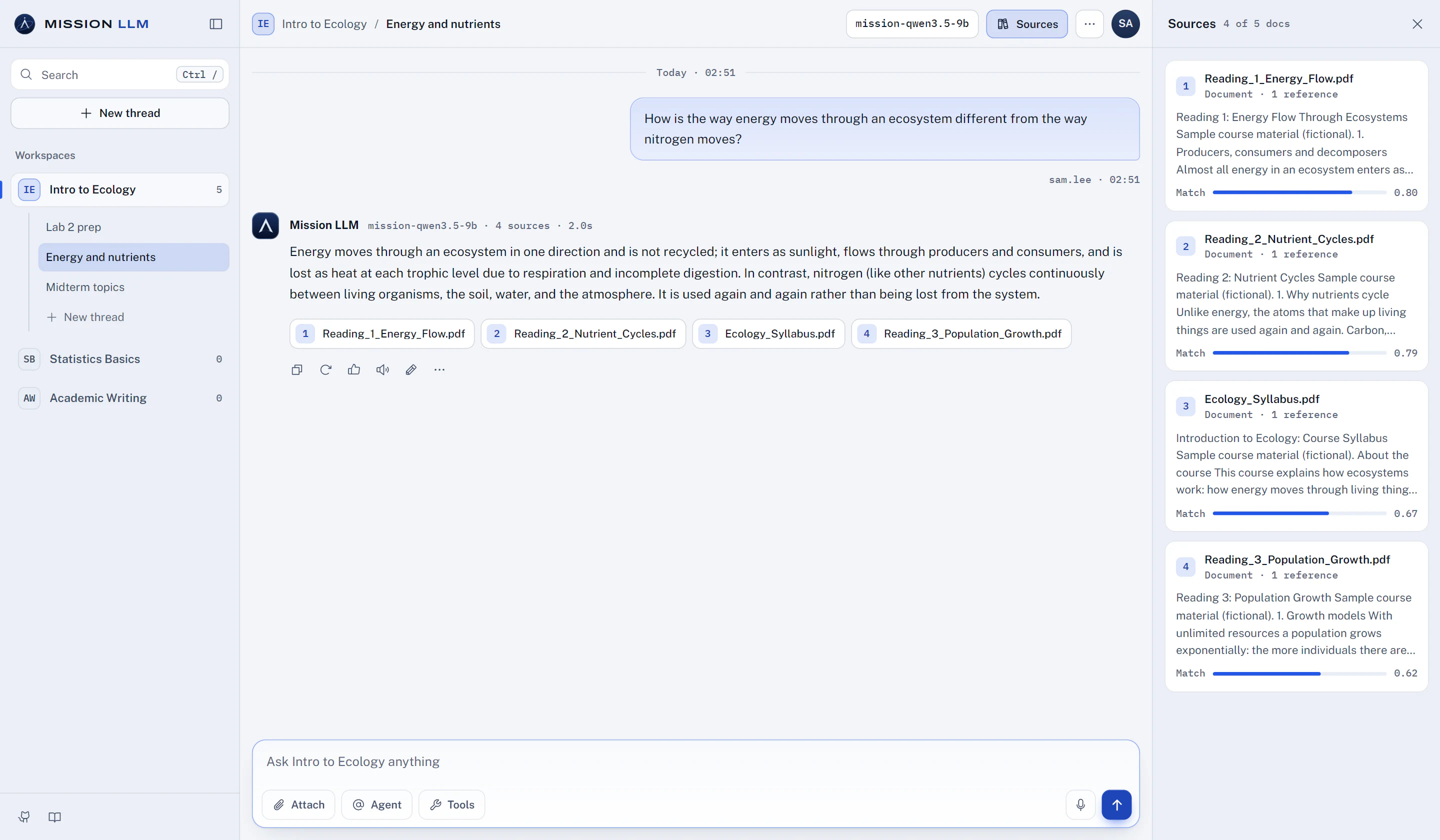
Answers list the documents they drew on when passages were retrieved, with each passage and its match score one click away.
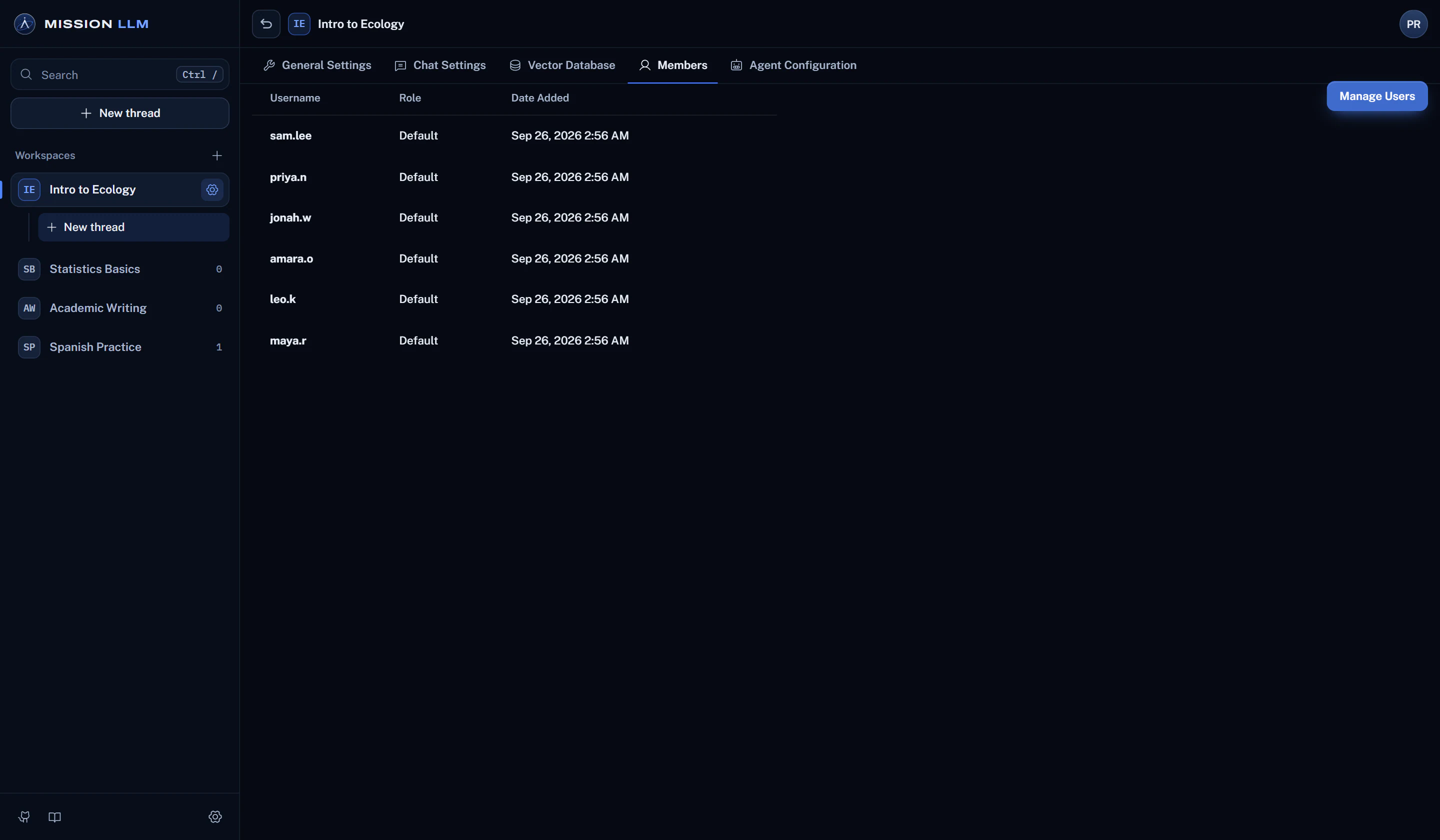
How grounded answers workOne workspace per team or topic. People with the default role see only the workspaces they are added to.
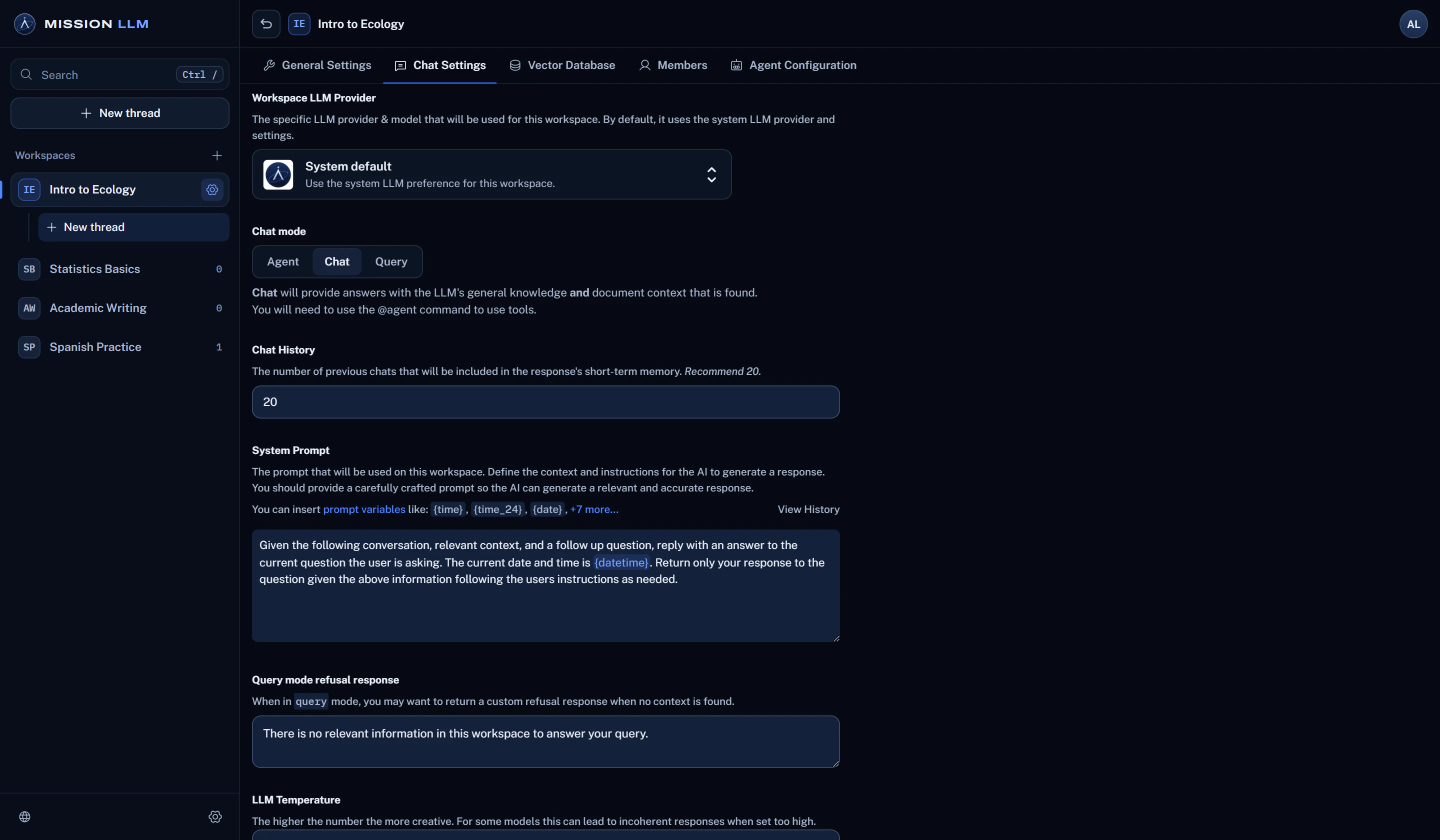
Learn more about accessSet a system default, then pick a local or approved cloud model for any workspace.
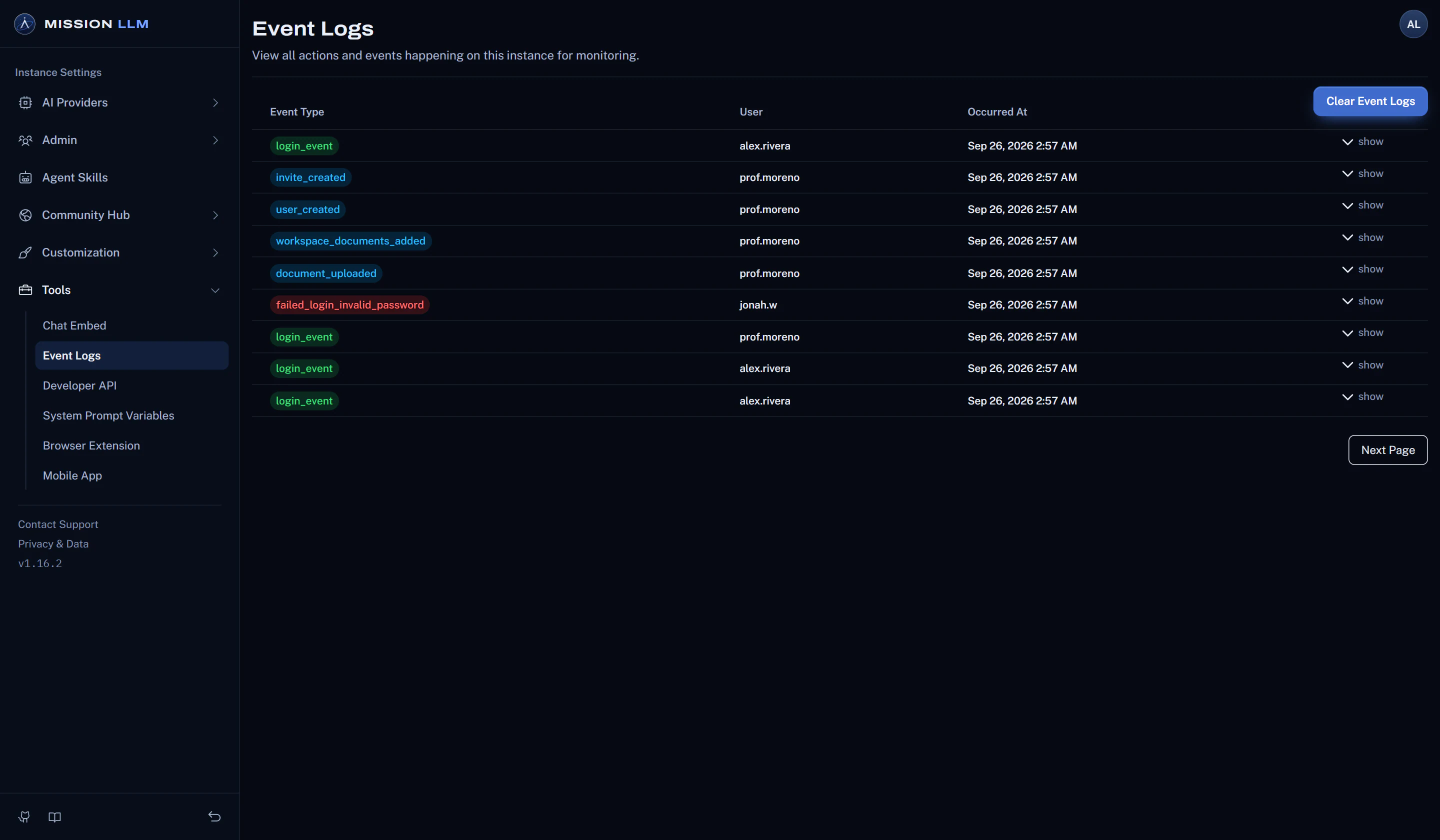
Sign-ins, failed sign-ins, and changes to users, API keys, invites, workspaces and documents, in one log.
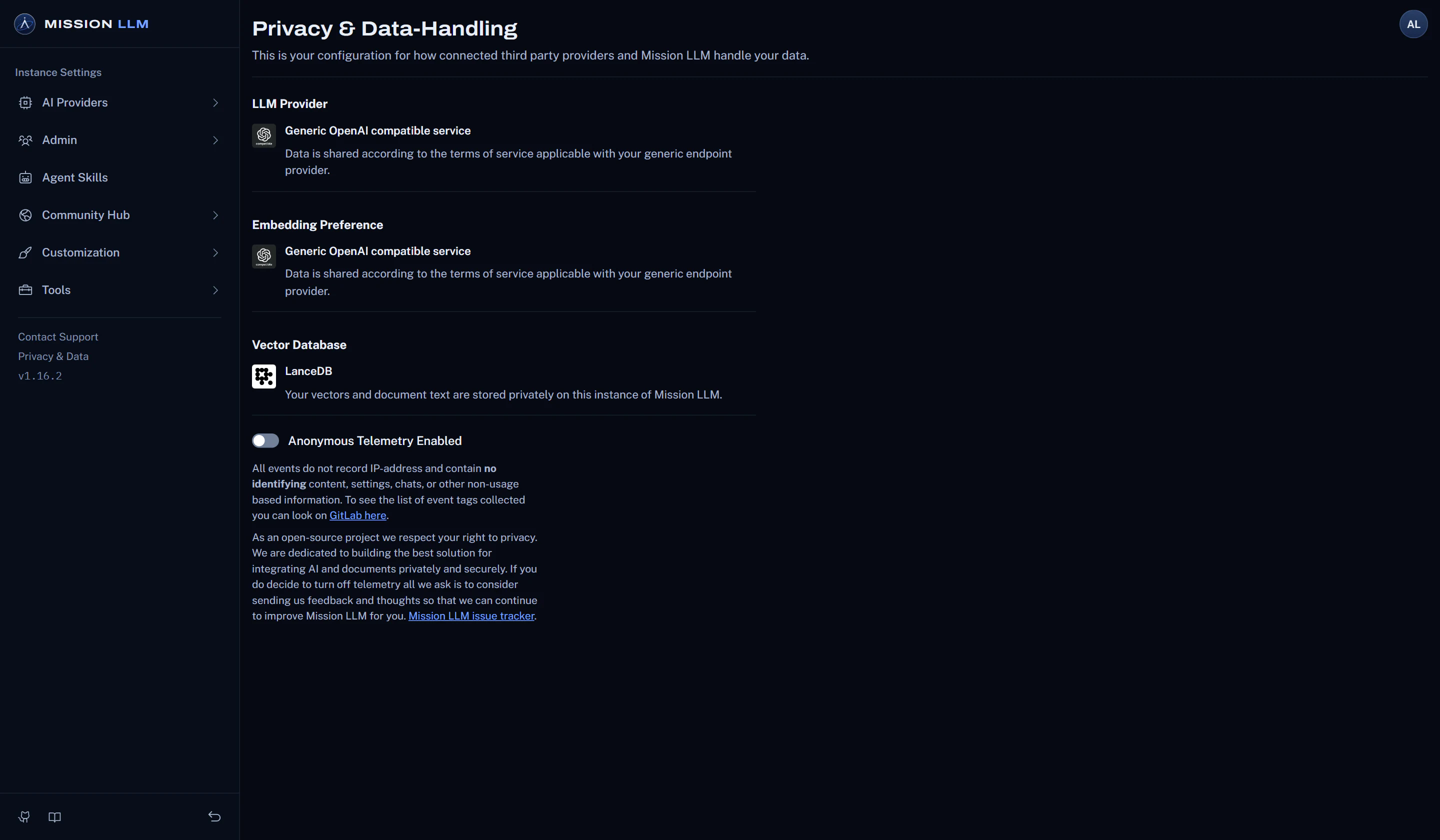
Learn more about oversightSet DISABLE_TELEMETRY="true" before the first start and no usage events are sent. Or turn it off in Settings.
How it works
From documents to answers in three steps.
A workspace per topic
Keep policies, manuals, research and project files apart, each with its own documents and settings.
Add the right people
Invite your team and add each person to the workspaces they need.
Ask and check
Ask in plain language, and open the listed sources to read the passages behind the answer.
Before you rely on it
Good to know.
Plain facts about what this use can and cannot do today.
- SSO, a tamper-evident audit trail and retention controls are in development.
- Cloud providers are optional. Pair it with a local runtime and the documents stay on your network.
- The Security page lists every outbound connection and how to avoid it.
More ways to use it
Classrooms
A course assistant that answers from the course readings and lists its sources.
Students
Study help drawn from the assigned material, in a workspace of your own.
Teaching a course
Build a workspace per course from the syllabus, readings and handouts.
Training instructors
Teach faculty modern AI workflows, agentic coding included, on a local model.