For classrooms
A course assistant for every class.
Put the course readings in a workspace and your students ask questions in plain language. Mission LLM answers from those readings on your own hardware and lists the sources it used under the answer.
Runs with
- Ollama
- LM Studio
- LocalAI
- KoboldCPP
- Docker
- Kubernetes
- Helm
- OpenShift
What it gives you
Everything the course assistant needs.
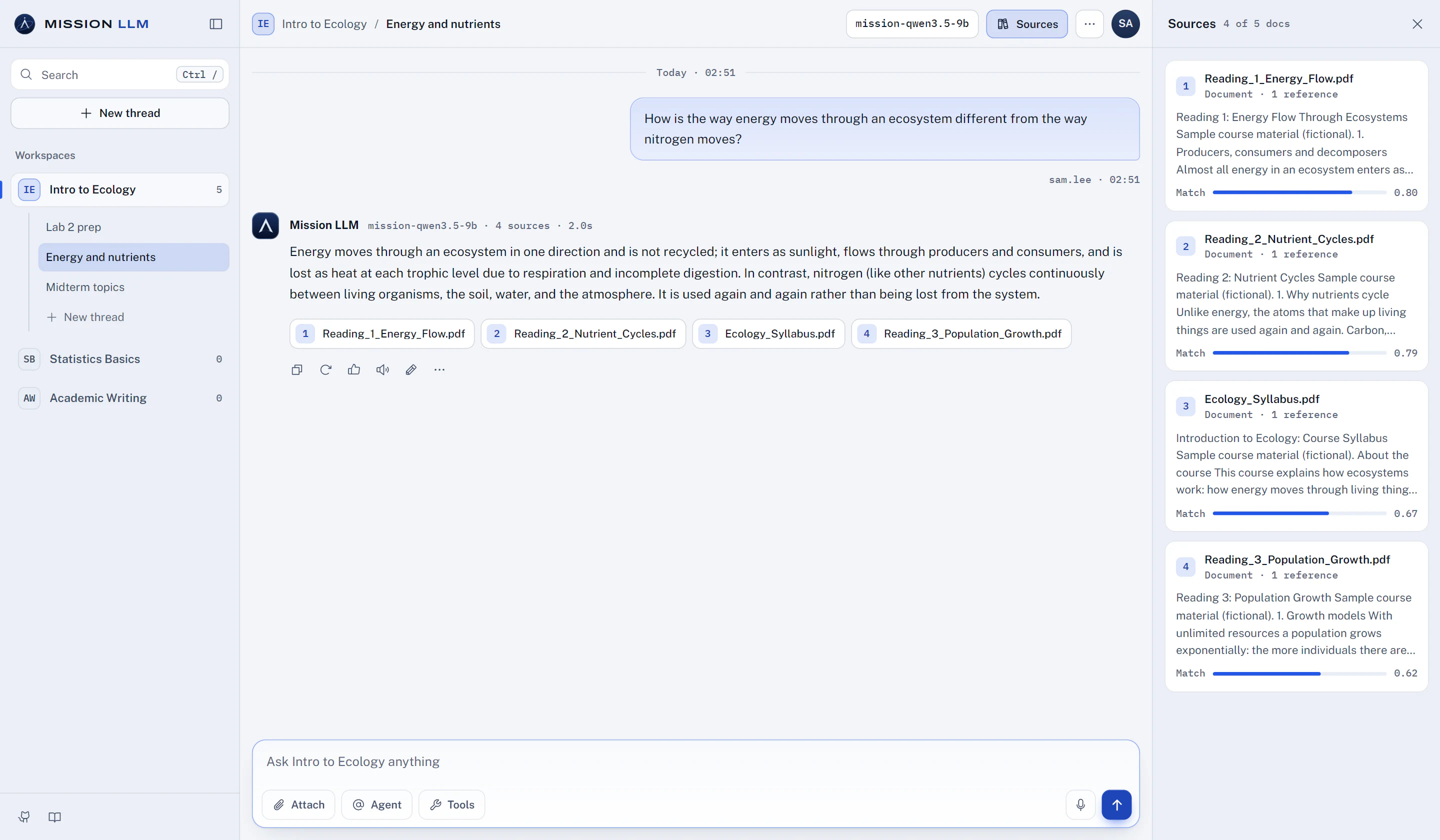
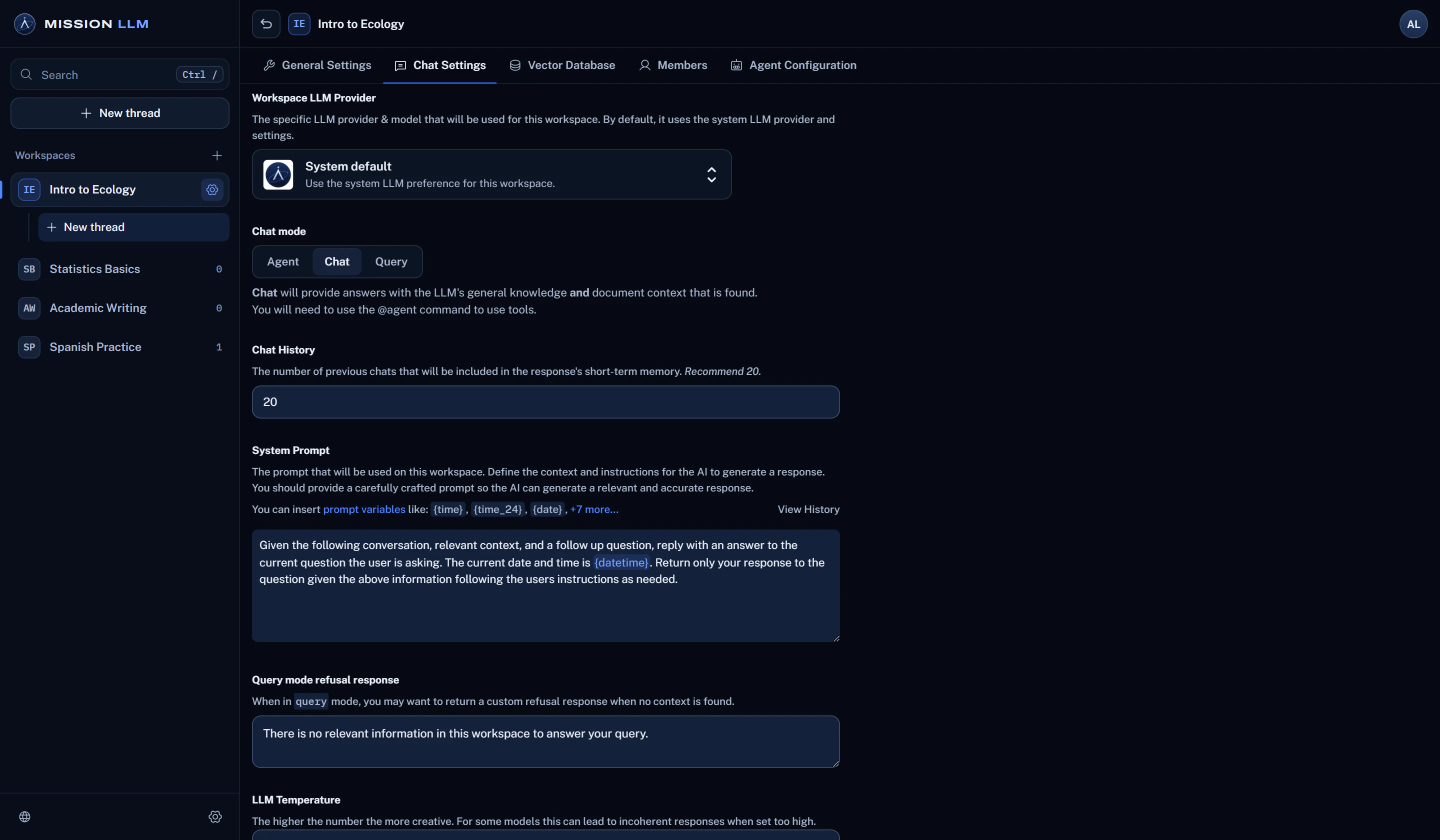
When passages from the readings were retrieved, the documents are listed under the answer. Open Sources to read each passage and how closely it matched.
How grounded answers workPDFs, Word files, slides, spreadsheets and scanned handouts with OCR. Pin the syllabus so the model sees its full text on every question.
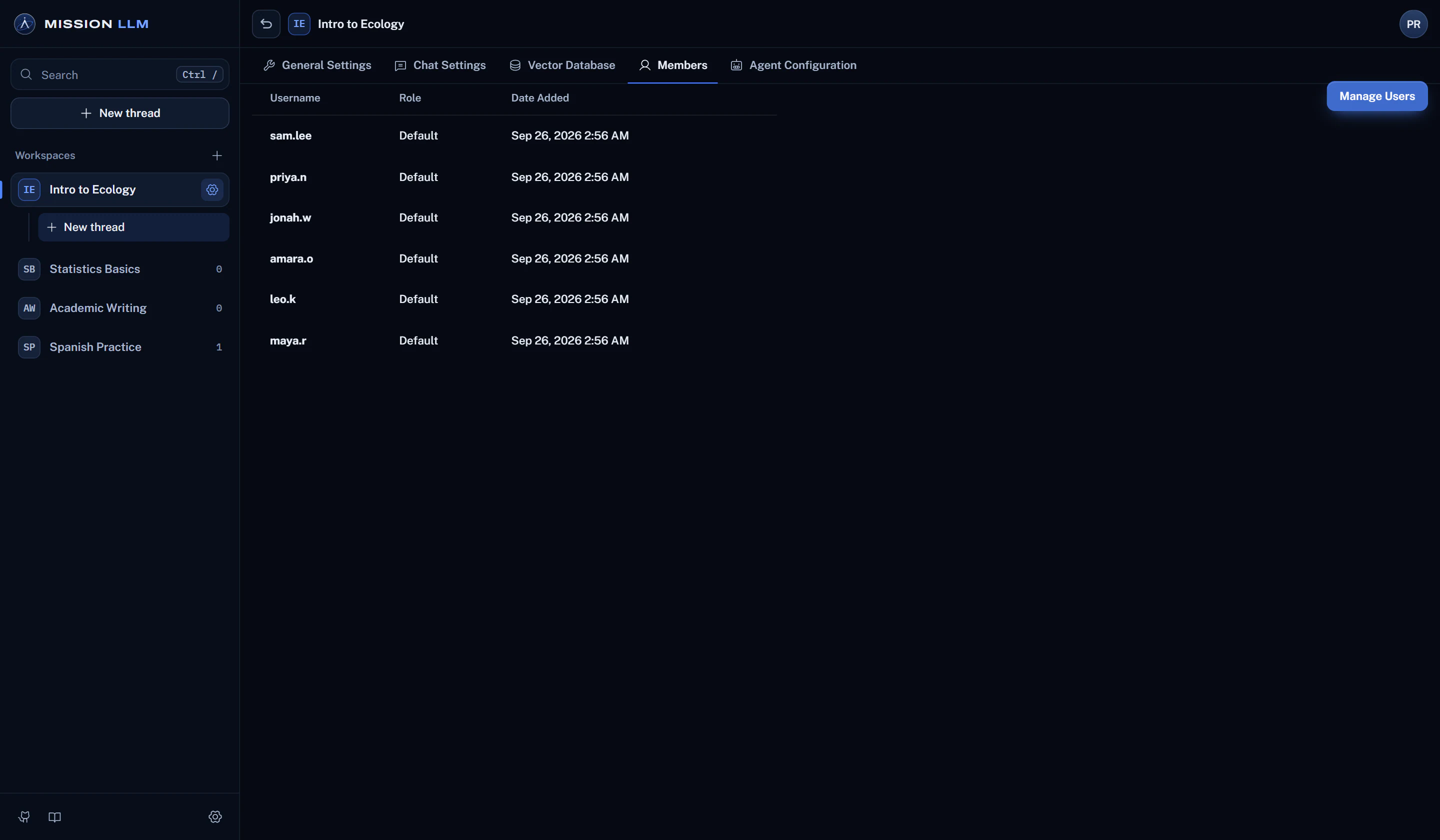
Set the course's system prompt, choose Query mode to answer only from the readings, and write the reply for questions they do not cover.
In multi-user mode, students see only the course workspaces they are added to, and a per-user daily message limit keeps the hardware fair.
Learn more about accessRun the model with Ollama, LM Studio or another local runtime, and the questions and readings stay in the building.
Every outbound connectionHow it works
From readings to answers in three steps.
Add the readings
Upload the course's documents to its workspace. They are parsed, embedded and stored on your server.
Students ask
Each student signs in with their own account and asks in the course workspace, in threads of their own.
Sources are listed
The answer lists the readings it drew on, so students can check the passage before they rely on it.
Before you rely on it
Good to know.
Plain facts about what this use can and cannot do today.
- Admins and managers can read workspace chats, with who sent each one. Tell your students.
- Sources are listed only when documents were retrieved for that question.
- Numbered inline citations and page references are in development.
More ways to use it
Students
Study help drawn from the assigned material, in a workspace of your own.
Teaching a course
Build a workspace per course from the syllabus, readings and handouts.
Training instructors
Teach faculty modern AI workflows, agentic coding included, on a local model.
Teams and labs
Policies, manuals and research, searchable with the sources listed.